

Keeping up with fast-moving markets across crypto, stocks, and forex at the same time is genuinely exhausting. Most traders hit a wall where the sheer volume of signals, orders, and portfolio checks creates decision fatigue, and that fatigue costs real money. A well-structured, automated trading workflow changes that equation entirely. Instead of reacting to every market move manually, you build a system that handles the routine work for you, freeing your attention for the decisions that actually require human judgment. This guide walks you through every stage, from assembling the right tools to measuring results.
Table of Contents
- What you need: Tools and requirements for an efficient trading workflow
- Step-by-step guide: Building an automated trading workflow
- Troubleshooting and common pitfalls in trading workflows
- Measuring success: How to know your workflow is efficient
- Why most traders underestimate the power of automation
- Take your trading workflow to the next level
- Frequently asked questions
Key Takeaways
| Point | Details |
|---|---|
| Automation unlocks efficiency | Automated workflows help traders execute faster, reduce errors, and free up time for strategic decisions. |
| Start with the basics | Set up essential tools—broker integration, research platforms, and risk controls—before automating tasks. |
| Iterate and refine | Continuously review and improve your automation rules for optimal results. |
| Measure performance | Use key metrics such as execution speed and volume to assess your workflow’s impact. |
What you need: Tools and requirements for an efficient trading workflow
Building an efficient trading workflow starts with choosing the right infrastructure. Think of it like setting up a workshop before you start building: the quality of your tools determines the quality of your output.
Core tools every multi-asset trader needs:
- Trading platform: A platform that supports multiple asset classes (crypto, stocks, forex) under one interface saves enormous time. Switching between separate apps for each market is a hidden efficiency killer.
- Broker integration via API: Direct API access lets your platform send orders to your broker programmatically, without manual clicks. A research-to-execution workflow for multi-asset traders typically includes broker-connected integration points, covering watchlists, portfolio exposure review, and order routing through the broker via API.
- Watchlists and screeners: Real-time watchlists filter the universe of tradeable assets down to your actual targets. Without this, you waste time scanning noise.
- Risk management controls: Position sizing calculators, stop-loss automation, and exposure limits need to be baked into the workflow, not added as an afterthought.
- Portfolio tracking dashboard: A centralized view of all open positions across asset classes is non-negotiable. You can start managing your portfolio from a single dashboard to see exactly where your capital is deployed at any moment.
Multi-asset requirements at a glance:
| Asset class | Key integration need | Primary risk consideration |
|---|---|---|
| Cryptocurrencies | Exchange API, 24/7 bot support | Volatility, liquidity gaps |
| Stocks | Broker API, market hours scheduling | Earnings events, gap risk |
| Forex | ECN/STP broker integration | Spread widening, news events |
The table above highlights why a one-size-fits-all approach rarely works. Crypto trades around the clock, which means your automation must handle overnight execution without you. Stocks require awareness of pre-market and after-hours conditions. Forex demands attention to spread behavior around major economic releases.
Pro Tip: Before connecting any tool, document your current manual process in writing. This "as-is" map reveals exactly which steps are repetitive enough to automate and which require your active judgment.
When connecting accounts to your platform, verify that the API supports both read and write permissions. Read-only access lets you monitor positions but blocks order execution. Write access is what makes true automation possible.
Step-by-step guide: Building an automated trading workflow
With your tools and requirements in place, you're ready to build your workflow. Here is how to do it, step by step.
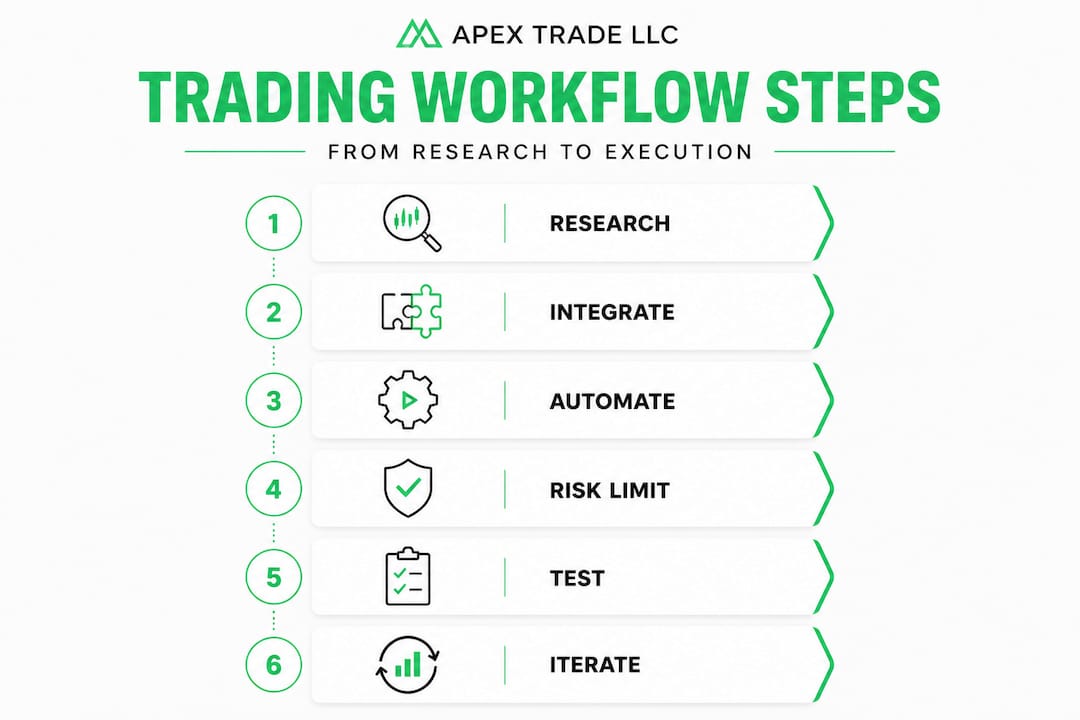
Step 1: Map your research-to-execution cycle
Before you automate anything, draw out the full cycle on paper or a whiteboard. A typical cycle looks like this: idea generation, research and screening, signal confirmation, order execution, and post-trade review. Knowing each stage lets you identify which ones are mechanical (and therefore automatable) versus which ones require judgment.

Step 2: Set up broker and account integration
Connect your trading platform to your broker using the API credentials your broker provides. Test the connection with small, low-risk orders before going live. Most brokers offer a sandbox or paper trading environment specifically for this purpose. Solid trade execution tips include always validating API connectivity during off-market hours so you are not troubleshooting a broken connection while a live position is open.
Step 3: Define your automation rules
This is the most critical step. An efficient automated workflow is built around a rules engine that determines which orders are "low touch" and can be automated, then routes eligible orders for execution with integrated risk controls and iterative feedback. Low-touch orders are typically those with clear entry criteria, defined stop-loss levels, and a fixed position size formula. High-touch decisions, like sizing into a position during a news event, stay manual.
Step 4: Implement risk management automation
Set hard limits at the account level, not just the trade level. This means maximum daily loss thresholds, maximum single-position size as a percentage of portfolio, and automatic order cancellation if a connectivity issue is detected. A bot trading strategy that lacks embedded risk controls is not a strategy. It is a liability.
Step 5: Run a parallel test before going fully live
Run your automated workflow alongside your manual process for at least two weeks. Compare results. Look for discrepancies in fill prices, execution timing, and any orders that fired incorrectly. This parallel phase catches logic errors before they become expensive mistakes.
Step 6: Iterate based on feedback
Your first version of the workflow will not be your best version. Schedule a weekly review where you examine every automated trade, check for rule violations, and update your logic based on what you observe. A copy trading workflow can also provide a useful benchmark: compare your automated results against a consistently profitable trader's performance to identify gaps in your own logic.
Automation vs. manual: when to use each
| Task | Recommended approach | Reason |
|---|---|---|
| Routine order entry (defined criteria) | Automate | Removes emotion and delays |
| Position sizing (fixed formula) | Automate | Consistency and speed |
| News-driven trades | Manual | Too many variables |
| Portfolio rebalancing (rules-based) | Automate | Reduces drift and saves time |
| Earnings or event-driven trades | Manual | Requires contextual judgment |
Pro Tip: Write your automation rules in plain language first, then translate them into platform logic. If you cannot explain a rule in one sentence, it is too complex to automate reliably.
Troubleshooting and common pitfalls in trading workflows
Once your automated trading workflow is active, it is vital to monitor for errors and efficiency gaps. Automation does not eliminate problems. It amplifies them if left unchecked.
The most common pitfalls traders encounter:
- Over-automation: Automating decisions that genuinely require human judgment leads to mechanical errors during unusual market conditions. Keep high-stakes, context-dependent decisions in your hands.
- API misconfiguration: Incorrect API keys, wrong endpoint URLs, or missing permissions are the most frequent technical failures. Always test in a sandbox environment and log every API call for review.
- Order routing mistakes: Sending a market order when you intended a limit order, or routing to the wrong exchange, can result in significant slippage. Build validation checks into your rules engine that confirm order type and destination before submission.
- Ignoring real-time data validation: Your workflow is only as good as the data feeding it. Stale price data or a delayed feed can trigger orders at completely wrong levels. Build data freshness checks into your system so it pauses if the feed is more than a set number of seconds old.
- Failing to review rules regularly: Markets evolve. A rule that worked perfectly in a trending market may generate losses in a ranging market. Schedule monthly rule audits as a non-negotiable part of your workflow.
"Some clients automate up to 70% of their flow on a given day, and notional executed has increased more than 100-fold in the last five years."
That statistic is striking, but it also carries a warning. Scaling automation without scaling your oversight process creates blind spots. The traders who benefit most from high automation rates are also the ones who invest heavily in monitoring dashboards, alert systems, and regular audits.
Check the platform features overview to understand which monitoring and alert tools are available to you before you scale your automation percentage. Having visibility into every automated action is what separates confident automation from reckless delegation.
One underrated pitfall is treating your workflow as a "set it and forget it" system. Even the most robust automated workflows need human review. Market microstructure changes, broker fee structures shift, and volatility regimes rotate. Your rules need to reflect current conditions, not the conditions that existed when you first wrote them.
Measuring success: How to know your workflow is efficient
To maximize your workflow's impact, you need to track tangible results. Feeling like things are running smoother is not a metric. Actual data is.
Key efficiency metrics to track:
- Execution speed: Measure the time from signal generation to order fill. Automated workflows should consistently outperform manual execution, especially in fast-moving markets.
- Error rate: Track the number of incorrectly executed orders per week. A well-tuned workflow should drive this number toward zero over time.
- Automation ratio: Calculate the percentage of your total trades that were executed automatically versus manually. A rising automation ratio (for eligible trade types) signals that your rules are working.
- Slippage analysis: Compare your intended entry price to your actual fill price across a sample of trades. Excessive slippage points to order type issues or data latency problems.
- Portfolio performance delta: Compare your portfolio performance before and after implementing the workflow. This is your ultimate measure of whether the workflow adds real value.
Workflow efficiency scorecard:
| Metric | Target benchmark | Warning signal |
|---|---|---|
| Execution speed | Under 500ms for automated orders | Over 2 seconds consistently |
| Error rate | Less than 1% of total orders | More than 3% in any week |
| Automation ratio | 50% or more of eligible trades | Below 30% after 60 days |
| Slippage (liquid markets) | Under 0.1% per trade | Over 0.3% consistently |
| Monthly portfolio review | Every 30 days | Skipped two or more months |
The scale of automated trading is remarkable: notional executed increased more than 100-fold in five years due to automated trading engines at institutional firms. Individual traders who adopt the same disciplined, metrics-driven approach can achieve proportional gains in their own performance.
Regular workflow audits are the mechanism that keeps these metrics moving in the right direction. Set a calendar reminder every 30 days to review your scorecard, identify the weakest metric, and make one targeted improvement. Small, consistent improvements compound into significant performance gains over time. You can also enhance your trading by integrating additional signal sources or asset classes once your core workflow is stable and consistently hitting its benchmarks.
Why most traders underestimate the power of automation
Having seen how to build and assess your trading workflow, it is time to push back on some persistent myths that hold traders back.
The most common misconception is that workflow automation is only for institutional players or developers with deep coding skills. That belief is simply outdated. Modern trading platforms have made sophisticated automation accessible to individual traders without requiring a single line of custom code. The real barrier is not technical. It is psychological. Many traders feel that handing decisions to a rules engine means losing control. In reality, you are exercising more control, because you are defining the rules in advance rather than making them up under pressure during a live market.
Another myth is that automation is primarily about speed. Speed matters, but the deeper value is consistency. A bot does not get tired at 2 a.m. It does not revenge-trade after a loss. It does not skip a stop-loss because it "feels" like the trade will recover. That emotional neutrality, applied consistently across hundreds of trades, is where the real edge lives.
We have also seen traders automate too aggressively too fast, then abandon automation entirely after one bad week. The right approach is to start with your most mechanical, lowest-risk tasks and build confidence incrementally. Automate your watchlist scanning first. Then automate your entry orders for your most rule-based setups. Then add stop-loss automation. Each layer compounds the benefit of the previous one.
AI-powered trading tools are accelerating this process further, offering adaptive logic that adjusts to changing market conditions in ways that static rule sets cannot. The traders who will outperform over the next decade are not necessarily the ones with the best market instincts. They are the ones who build the best systems around those instincts.
Take your trading workflow to the next level
Ready to streamline your trading workflow? Apex Trade LLC's specialized tools can help you get there faster than building from scratch.
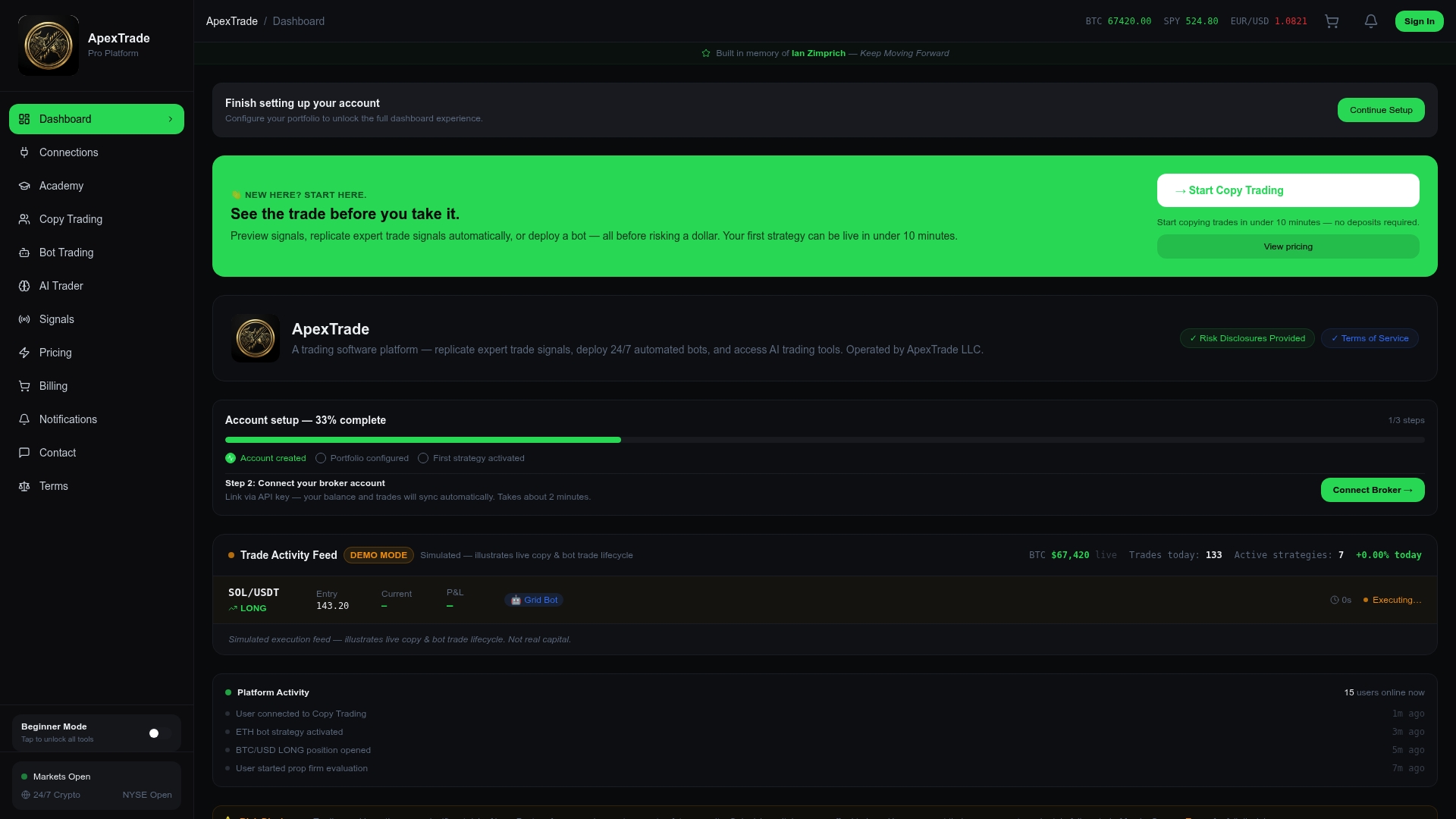
Apex Trade LLC gives you the automation infrastructure, broker integrations, and AI-driven tools to execute everything covered in this guide without the heavy lifting. Whether you want to deploy advanced bot trading strategies that run 24/7, replicate top performers through automated copy trading, or streamline your setup through seamless account integration, the platform is built specifically for traders who take efficiency seriously. Start with one automation layer, prove the results, and scale from there. The tools are ready when you are.
Frequently asked questions
What is the main benefit of automating trading workflows?
Automation increases efficiency, reduces manual errors, and helps scale trading activity across markets. Automated trading engines helped investment managers scale operations and reduce risk significantly over time.
Which tasks should traders automate first?
Start by automating routine, low-touch order types and trade execution. A rules engine identifies which orders are "low touch" and ideal for automation before anything else.
How do I connect my broker to an automated workflow?
Most trading platforms and brokers support integration via APIs, allowing direct order routing and portfolio updates. For example, Quasar Markets integrates with TradeStation via the TradeStation API for streamlined execution.
Can workflow automation help with risk management?
Yes, integrating risk controls into automated workflows enhances safety and consistency. Automated workflows ideally include integrated risk controls built directly into the rules engine.
How much of trading can realistically be automated?
The ceiling is higher than most traders expect. Some clients automate up to 70% of their trading flow in a single day using well-designed rules engines.